
Translation Earbuds for Group Conversations and Device Counts
Plan translation earbuds for group conversations with a 2, 4 and 6-person device table, WT2 Edge mode checks and a practical turn-taking rehearsal.
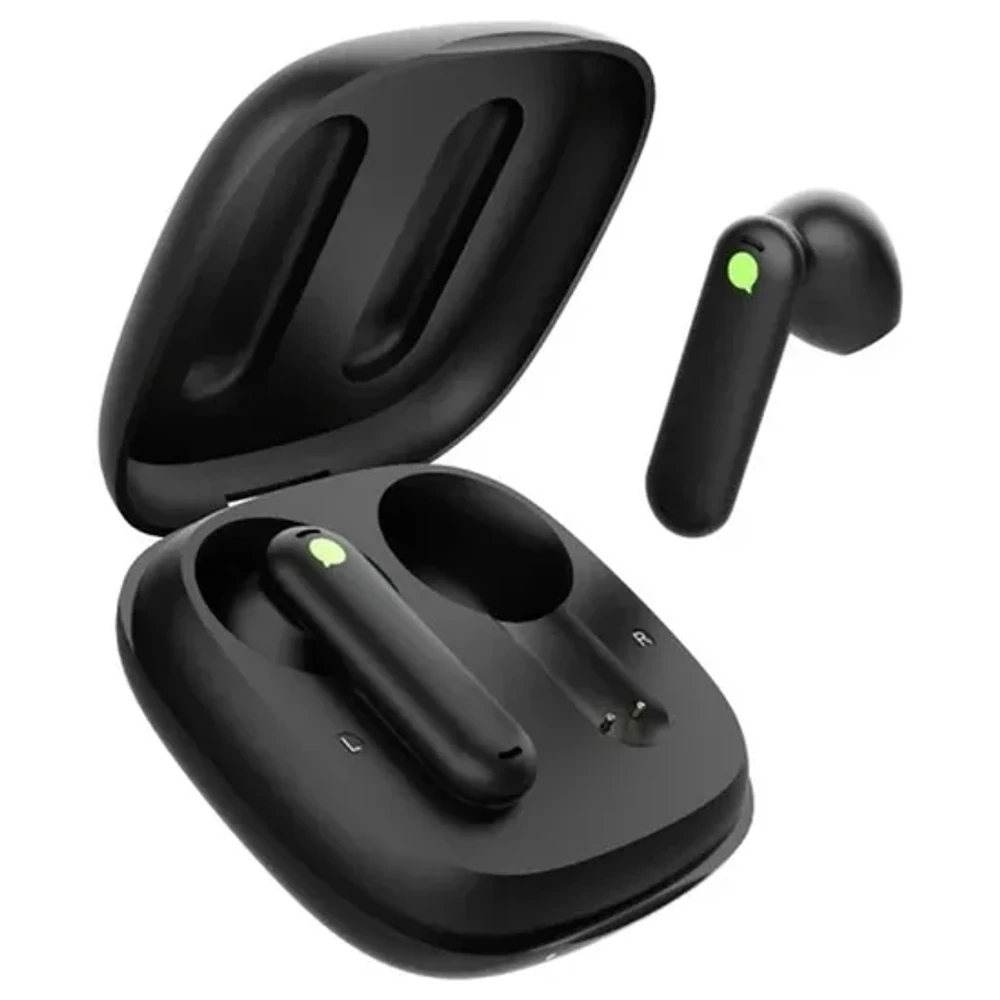
Imagine a family visit with four adults. Two speak English and want to hear Spanish; two want the reverse. If everyone needs an earbud, you would prepare four individual earbuds, or two pairs. You would also need a group mode that supports the conversation and a phone that can connect the whole set.
When choosing translation earbuds for group conversations, count people, languages and physical earbuds separately. Timekettle documents a six-person Touch Mode configuration for the WT2 Edge using three pairs and a host phone. The phone must support the full connection.
We checked the manufacturer's FAQ, mode descriptions and app listings on November 16, 2026. We have not tested a WT2 Edge group session. The family visit above is a hypothetical planning example; the table below identifies which counts are documented and which are calculations. Our Timekettle WT2 Edge product page provides the device reference.
Count Participants and Languages Separately
Start with a list of people who need a translated conversation. Beside each name, write the language they will speak and the language they want to hear. Someone who understands the discussion but only wants help when replying has a different requirement from someone who needs every contribution translated.
Timekettle's WT2 Edge product FAQ describes assigning connected earbuds to bilingual groups, including uneven splits. Use that as the basis for asking about your particular group. A six-person configuration does not establish support for six independent spoken languages in the same room.
Write down any third language before ordering. Ask the manufacturer whether the exact model and current app support it in the same conversation. If a participant needs two output languages, describe that requirement too. Leave those arrangements pending until you have an answer.
A planning table for two, four and six people
For WT2 Edge group translation, the six-person row follows Timekettle's three-pair instructions. The four-person row is a planning calculation based on one earbud per wearer. Rehearse every configuration on the intended host phone.
| People and situation | Language groups | Mode to check | Earbuds and complete pairs | Phone plan | Verification status |
|---|---|---|---|---|---|
| 2 people having a conversation | 1 English speaker and 1 Spanish speaker | Simul Mode for a two-person exchange | 2 earbuds, or 1 pair | 1 compatible phone running Timekettle | Documented individual-earbud arrangement; not tested by us |
| 4 relatives taking turns | 2 English speakers and 2 Spanish speakers | Multi-earbud Touch Mode | Plan for 4 earbuds, or 2 pairs | 1 host phone; confirm all 4 connections and assignments | Planning calculation; verify the exact phone and app |
| 6 people taking turns | 3 English speakers and 3 Spanish speakers | Six-person Touch Mode | 6 earbuds, or 3 pairs | 1 host phone; confirm capacity for all 6 | Three-pair configuration documented; not tested by us |
Treat a pair as two physical earbuds when counting stock. Keep a separate list of charging cases and identify which earbuds belong to each case. That makes it easier to collect and charge the borrowed equipment afterward.
Match the Conversation to the Supported Mode
Timekettle's current WT2 Edge mode descriptions distinguish two-way conversation from listening and phone-speaker output. In Touch Mode, a speaker taps to begin and taps again to finish. That gives a small group a way to take turns.
During the rehearsal, have one person start a short contribution and finish it. Wait for a listener to acknowledge the translation before passing the turn. Test overlapping speech separately if you expect it at the gathering; the word “simultaneous” alone gives you no group result to rely on.
A presentation has a different equipment question
If one person gives a short talk and the others only listen, check Listening Mode and the microphone arrangement. The product page describes up to six earbuds connected to one phone for one-way listening. Test where the phone must sit to capture the presenter, then test how a listener will ask a question.
Speaker Mode sends translated speech through the phone or a connected speaker. That may suit a brief exchange with someone who prefers not to wear an earbud. If you plan to use it for several people, ask support about that particular arrangement and rehearse who speaks into which microphone. A room hearing the phone's output still needs a workable way to reply.
For a gathering where distributing earbuds would be awkward, our translation earbuds and handheld translator comparison covers the broader device choice.
Keep remote chat figures out of the room count
Timekettle's older Remote Mode announcement discussed a remote group with translated text and a larger attendance limit. That announcement also described a beta version. It cannot establish how many physical WT2 Edge earbuds you can connect today.
When checking translator earbuds for multiple people, look at whether a capacity figure counts remote app participants or connected physical earbuds. Follow the local multi-earbud instructions for an in-person gathering. For someone joining by video call, our W4 Pro call translation guide covers the requirements at each end.
Plan the Earbuds and Phone Setup
Download the app through Timekettle's official app links. The current US iPhone listing requires iOS 15.0 or later. Its description covers several hardware models, including WT2 Edge/W3, and says availability varies by model, operating system and service conditions. Check installation on the actual Android phone through the official Google Play listing as well.
Record the host's phone model, operating system and app version alongside the earbud model. Timekettle's original WT2 Edge announcement tied multi-earbud capacity to the smartphone. Check support for your current phone rather than relying on the old example devices. If only part of the group connects, send support the exact combination.
The manufacturer's group setup sequence runs through the app's Bluetooth Connection page, followed by Touch Mode and language assignment. Connect the full intended group before handing out earbuds. Compare the number shown in the app with the number of people on your sheet, then check the assigned language for each wearer.
For borrowed equipment, identify the affected earbud and case when recording a connection problem. Give support the intended connection count as well. If you are considering two host phones, ask how the separate sessions would communicate before including that arrangement in the plan.
Copy this host checklist
| Check | What to record before the gathering |
|---|---|
| Participants | Each person's spoken language and desired listening language |
| Equipment | Earbud owner, case, wearer and planned language assignment |
| Host phone | Model, operating system, app version and available charging method |
| Connection | Intended count, actual connected count and any failed earbud |
| Audio path | Who speaks, which microphone receives them and who hears the output |
| Connectivity | Network used in the rehearsal and the chosen language pair |
| Rehearsal result | Date, people tested, a specific failure and the follow-up action |
Keep the phone charged and accessible to the host. Test with the network you expect to use at the gathering. If you require offline use, check the exact package and language directions separately in our Timekettle offline language-pack guide. A working online rehearsal leaves offline operation untested.
Rehearse Turn-Taking Before the Group Arrives
Run a short conversation with every intended earbud connected. Leave time to change the arrangement if a participant cannot hear comfortably or a connection drops. Use the following steps for a rehearsal.
- Ask each wearer to say their name and one ordinary sentence. Have someone in the other language group explain what they heard. Check both directions.
- Read a harmless number and a meeting time. Ask the listener to write them down, then compare with the original. Repeat a missed item in shorter wording.
- Move the speaking turn around the whole group. Confirm that a person can start and finish their contribution and that the next speaker knows when to begin.
- Try a question from a quiet participant. Check whether they can get the group's attention and whether everyone who needs the answer receives it.
- Say one proposed decision, ask for a correction, and write the agreed result where everyone can review it.
Use this small turn-taking card beside the phone.
| Moment | Host's prompt | What to confirm |
|---|---|---|
| Before speaking | Name the next speaker and let the previous turn finish | The group knows whose contribution is being translated |
| After a name or number | Ask the listener to repeat or write the item | The item matches before anyone acts on it |
| When the meaning is unclear | Ask the speaker for one shorter sentence | The listener can explain the revised meaning |
| Before moving on | Read back the agreed action or meeting detail | Each language group can correct the written result |
If the rehearsal fails, record the connection count, affected listener and missing output. A useful failure note might read “Four earbuds connected, but the second Spanish listener heard no output.” That is an example of what to record, with enough detail to check the language assignment and audio route.
Take the completed sheet back to the WT2 Edge device details before buying extra pairs. If a required configuration remains unverified, arrange a simpler conversation format for the visit.
Official references checked
- WT2 Edge local group setup and bilingual assignment FAQ
- WT2 Edge mode descriptions and one-way listening configuration
- Original smartphone-capacity caveat for multi-earbud use
- Current iPhone app compatibility and model-specific availability
- Current Android app listing
- Historical remote-mode announcement