
Timekettle W4 Pro Call Translation: What Each Caller Needs
Check what each caller needs for Timekettle W4 Pro phone call translation, including WhatsApp, internet, audio routing and a five-minute rehearsal.
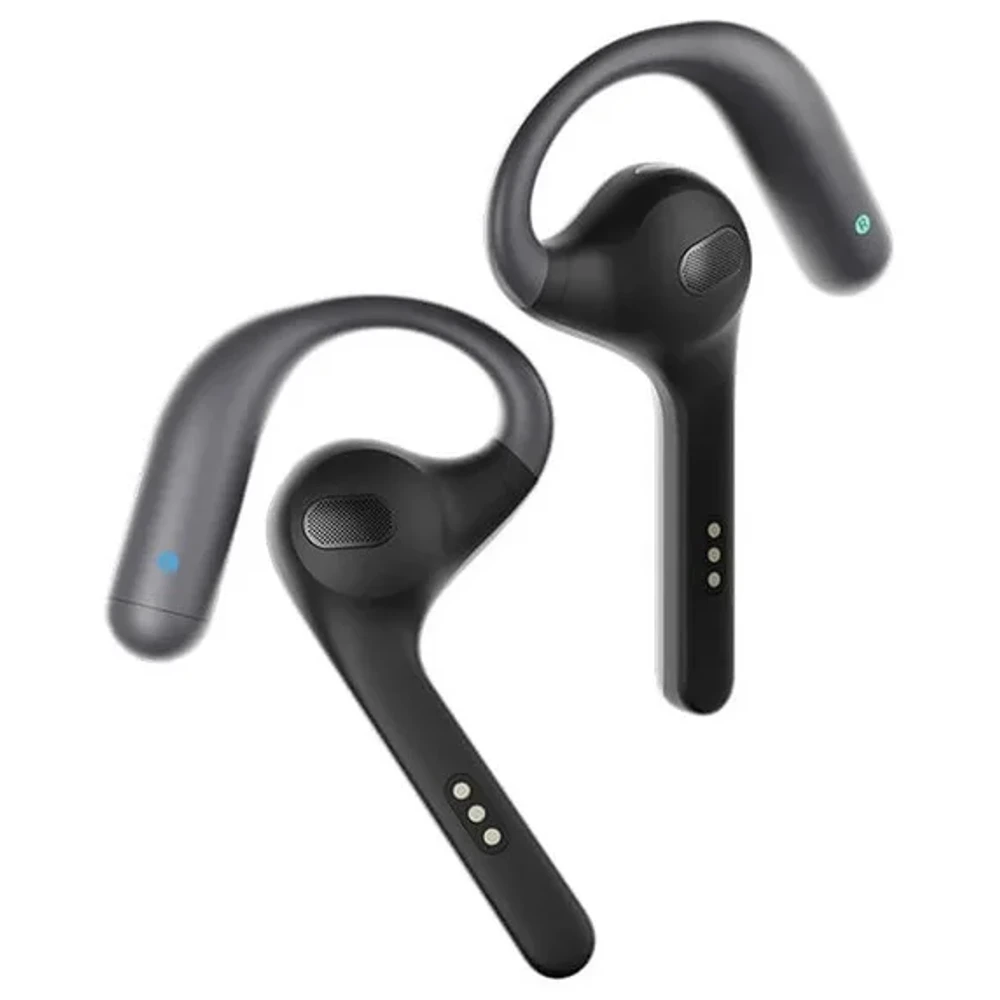
For Timekettle W4 Pro phone call translation, only one end of the call needs the W4 Pro earbuds. Suppose you are calling a hotel abroad. You wear the earbuds and use the Timekettle App on your phone; the receptionist uses the ordinary phone or calling service you arranged. Timekettle's official call translation page says the other person needs no additional translation device.
Before the booking call, check that both people can hear the original speech and translated reply through the setup you intend to use.
We checked Timekettle's call page, product FAQ and current App Store and Google Play listings on October 29, 2026. This is a guide to the documented workflow and a test you can run yourself. We have not placed a test call, paired W4 Pro hardware or verified a particular firmware version. Our Timekettle W4 Pro product page provides the hardware reference. This article covers W4 Pro only.
How Call Translation Differs From Face-to-Face Mode
In a face-to-face conversation, Timekettle describes One-on-One mode with one earbud for each person. Both voices are nearby. During a remote call, the other person's voice reaches you through the phone or calling app, and your translated speech must reach them through that call.
Timekettle's call page describes two-way translation with the W4 Pro worn by one participant. The hotel receptionist can stay on their usual call setup.
The network requirement also changes with the mode. The call page's FAQ says Voice Call and Multi-Media Translation need an internet connection. It assigns offline support to One-on-One and Listen & Play modes. Downloading an offline language pack does not make W4 Pro phone call translation available without internet.
An ordinary cellular call can therefore remain connected while the translation service has a connection problem. Check that your phone has working internet as well as a working call. The remote person needs the usual connection for their side of the call, such as cellular voice service or internet for an app call.
What You and the Other Caller Need
The W4 Pro product FAQ confirms that W4 Pro works with the Timekettle App on a smartphone and that one W4 Pro device can support two-way voice call translation. Use this preparation table before arranging a real conversation.
| You, using W4 Pro | The remote caller |
|---|---|
| Earbuds. A charged W4 Pro set, connected and recognized for translation | Their normal phone or meeting audio setup. Timekettle says no extra translation device is needed |
| Phone. A compatible smartphone that can run the current Timekettle App and your chosen calling service | A phone or device that can receive the agreed cellular or app call |
| Applications. Timekettle App plus the calling service you will actually use | The same calling service for an app call, or their ordinary phone for a cellular call |
| Network. Working internet for call translation, alongside whatever connection the call needs | The connection their ordinary call needs. An app call requires internet on their side too |
| Languages. Set your language and the other person's language in the applicable translation mode | Agree which language each person will speak and confirm important details aloud |
| Audio. Confirm the earbud output and that speech reaches the call | Confirm what arrives through their handset, headset or speaker |
Include the remote caller's equipment in the rehearsal. Check that their microphone is unmuted and that they hear the call through the intended output.
Check Your Phone, App, and Audio Route
The US App Store listing currently requires iOS 15.0 or later and shows Timekettle version 4.1.2, dated October 20. Those are the app listing's requirements as checked for this article. Its description covers several Timekettle models and says feature availability depends on the model, operating system version and service conditions.
The Android listing on Google Play also names W4 Pro and limits call translation to supported devices and calling scenarios. The visible listing we reviewed did not expose a minimum Android version. Check compatibility from the actual Android phone you intend to use. Record the phone model, OS version, installed Timekettle version and earbud firmware version with your test results. Check for available updates before the rehearsal, leaving time to repeat it afterward.
W4 Pro WhatsApp translation and cellular calls
Timekettle's call page explicitly names WhatsApp, WeChat and traditional cellular calls. It also advertises virtual meeting support, including Zoom and Google Meet. These are manufacturer-listed scenarios. They do not establish that we tested every combination of phone, app version and language pair.
For W4 Pro WhatsApp translation, test a WhatsApp call on your actual phone. For a normal phone call, repeat the check using that phone's calling service. A successful video meeting or face-to-face exchange leaves the other route untested. If your intended app is absent from the manufacturer's examples, keep its compatibility result open until you can verify it with Timekettle or a short call.
Timekettle's call page says both sides hear the original voice and translation in their own language. Treat that as the expected behavior to check. On your side, listen for the remote person's original speech and its translation through the earbuds. Ask the other person whether your original voice and translated speech both arrive through their normal call audio. Do not assume that only the translated voice is sent or that the original is muted.
Before discussing a booking, check the active call audio output and that W4 Pro remains connected in the companion app. Grant the permissions the documented workflow needs, and choose the correct language pair. Say a short sentence in each direction. Seeing translated text on your screen does not confirm the remote caller heard translated audio.
Run a Short Test Before an Important Call
Arrange a five-minute rehearsal with someone who can tell you what they heard. Use the same phone, calling app and language direction planned for the real conversation. Start in a quiet place so you can identify a routing failure before adding background noise.
The details below are invented rehearsal prompts. Replace them with your own details when preparing a real call. The results are deliberately unfilled because this is a script for your test.
| Minute | Say and check | What the other person should confirm | Your result |
|---|---|---|---|
| 1 | Introduce yourself as Alex Morgan, then let the other person introduce themselves | Both people can hear the original voice and translated reply | Fill in after testing |
| 2 | Say the fictional address 27 Garden Street | The listener repeats the building number and street name; spell anything unclear | Fill in after testing |
| 3 | Propose November 12 at 3 p.m. in the hotel's local time | The listener repeats the date, time and intended time zone | Fill in after testing |
| 4 | Read the numbers 15 and 50 separately, then reverse the speaking direction | Each person repeats both numbers correctly | Fill in after testing |
| 5 | Restate the agreed details in each person's language | Both agree on the same details and can identify any missing translation | Fill in after testing |
Take turns during this rehearsal and leave room for the translated reply. If a name or number arrives incorrectly, shorten the sentence, spell the name or read the digits individually, then ask for another readback. Record a failure as a failure even if the text on your own phone looks right.
If audio fails in one direction, pause and check the call's mute state and selected output. Confirm the earbud connection, internet access and chosen languages, then repeat the short exchange. Keep the failed result with the exact phone and app details so Timekettle support can assess that setup. The public pages we checked do not provide a definitive current firmware version or a complete phone-by-phone call compatibility matrix.
Our translation earbuds versus handheld translator guide covers the broader device choice. Keep your rehearsal results beside the booking details, and get written confirmation of the final address, date and amount. Use a qualified interpreter for conversations that need that level of certainty.