
Timekettle Offline Language Packs and Supported Pairs
Check Timekettle offline language packs, WT2 Edge language pairs, purchase entitlements and phone requirements before downloading and testing for travel.
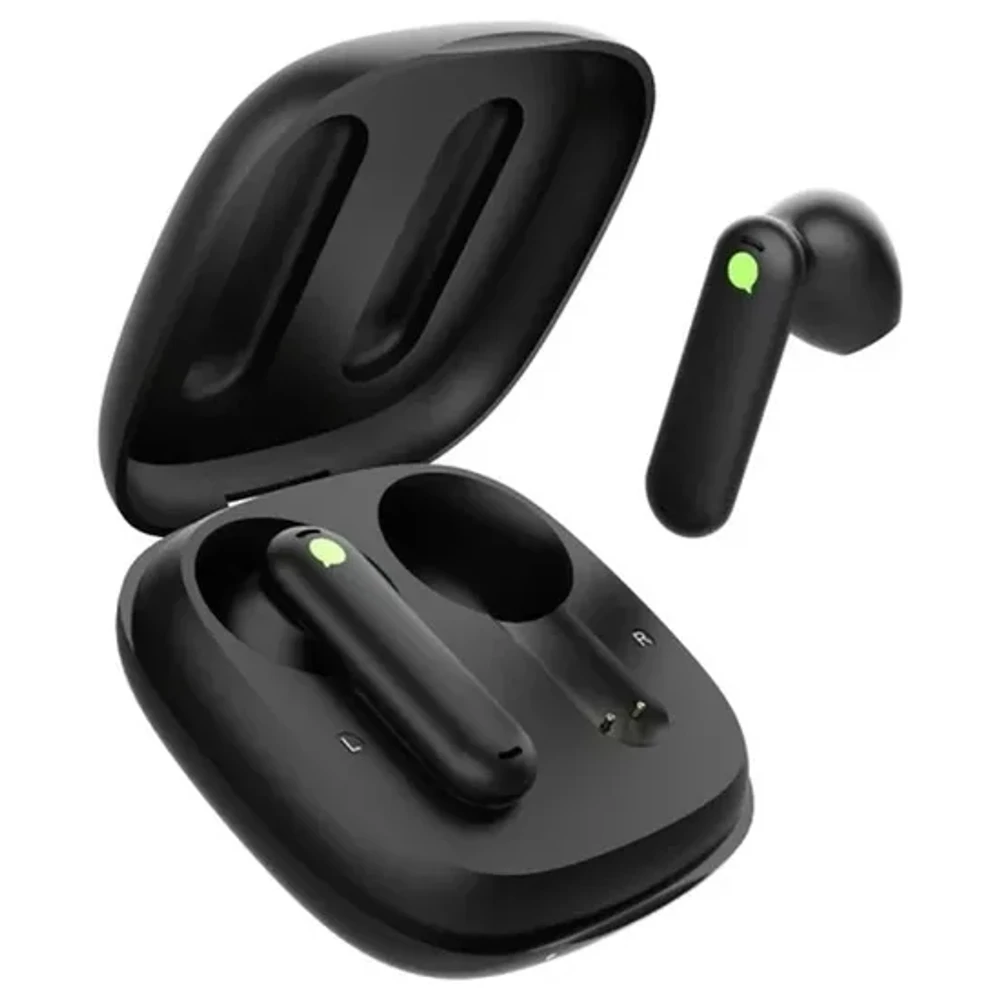
Can Timekettle translate French directly into Japanese offline? Both languages appear in the WT2 Edge offline list, but that combination is absent from its published pair list. Look for French and Japanese as one supported pair before buying a package.
Timekettle offline language packs depend on the model and purchase version. Start with the Timekettle WT2 Edge product details, then compare your intended pair with the manufacturer's current information. This guide uses official documentation reviewed on October 18, 2026. We have not tested these earbuds or measured offline accuracy.
Languages and Language Pairs Mean Different Things
Timekettle lists eight offline languages for WT2 Edge, arranged into 13 unique pairs. The combinations connect English or Chinese with the other listed languages. English and Chinese share one pair, which explains the total. Eight supported languages do not establish every possible combination among them.
WT2 Edge Offline Languages and Pair List
The table below reorganizes the official WT2 Edge offline package list. A listed pair still needs the correct download and a check in both directions on your setup.
| Language | Listed pair with English | Listed pair with Chinese |
|---|---|---|
| Chinese | English and Chinese | Same language |
| Japanese | English and Japanese | Chinese and Japanese |
| Korean | English and Korean | Chinese and Korean |
| French | English and French | Chinese and French |
| Spanish | English and Spanish | Chinese and Spanish |
| Russian | English and Russian | Chinese and Russian |
| German | English and German | Chinese and German |
French and Japanese, Spanish and Korean, and German and Russian are examples of combinations outside that list. Buying two packs does not establish direct translation between their nonshared languages. Ask for explicit confirmation if that is the conversation you need.
Does Portuguese Work Offline?
Portuguese is absent from this WT2 Edge offline pair list. An online language count cannot establish offline support. Keep the exact pair written down when asking a seller about availability, including your required direction of translation.
The same care applies to accents. A regional accent advertised for online translation does not establish a separate offline resource for that accent. Ask about the actual download available to your model.
Check the Pack for Your Exact Model
Write the complete device name beside your pair. WT2 Edge is also sold under the W3 name, but a page about another Timekettle product cannot establish WT2 Edge entitlements.
M3 is useful for understanding why the purchase version matters. Its official product FAQ describes an offline version with a Fish Card redeemable for six offline packages. It also describes a version without offline packages that relies on an internet connection for translation. That is a specific M3 offer, not proof that every WT2 Edge purchase includes six downloads.
Timekettle's M3 support guide confirms that its offline resources download to the smartphone and that translation still uses the phone app. The phone stays part of the setup when internet access is off.
Confirm the Mode as Well as the Pair
Check offline support for the conversation mode you will actually use. A general offline label leaves that question unanswered. Timekettle's tutorial library provides separate model-specific instructions for translation modes and offline operation.
Before paying, ask whether your exact pair works offline in the mode you intend to use. Name the mode shown in the current app and describe which person wears each earbud. If support only confirms the language pair, keep the mode marked unconfirmed.
This guide covers language-pack eligibility. For a broader choice of device format, read translation earbuds vs handheld translators.
Confirm the Included and Paid Downloads
The WT2 Edge FAQ describes language purchases as a one-time payment without a subscription. Check the selected online or offline version and its included downloads before ordering. Before leaving, check that you own the pack and that it is downloaded on the phone you will carry.
Timekettle's Fish Card redemption guide explains the underlying process of topping up an account, redeeming a resource and downloading it. That guide dates to 2021 and illustrates M2. Its old language list and app screens should not decide a current WT2 Edge purchase.
Use the current app and your order confirmation to answer these questions before spending any credits.
- Does the order explicitly include offline translation for the named model?
- Which packs can the included entitlement unlock, and how many can you choose?
- Is your intended pair available under that model in the app?
- Does the account show it as owned, and has the download finished on the phone you will carry?
If the store description and the app disagree, save both records and contact support before redeeming anything else. Ask about restoring resources before changing phones or accounts. The pages reviewed here do not establish a universal transfer rule or a current price for every additional pack.
Test Your Pair Before You Travel
A completed download gives you a file to test. Run the check with the actual phone, earbuds and account you will take on the trip, while you still have internet available to fix missing resources.
Save a Pair Check Record
Copy this worksheet for each combination you need. The examples show how to record evidence; they are not successful device tests.
| Device and purchase version | Language A | Language B | Evidence for both directions | Pack downloaded | Offline test |
|---|---|---|---|---|---|
| WT2 Edge, confirm offline entitlement | English | Spanish | Pair listed; verify A to B and B to A in app | To be checked by owner | To be tested by owner |
| WT2 Edge, confirm offline entitlement | French | Japanese | Direct pair absent from published list | Do not infer from separate packs | Unconfirmed; ask support |
| Your exact model and order version | Your first language | Your second language | Save current app or support confirmation | Record phone and completion date | Record mode and results |
Run a Check Without Internet
- While connected, sign in to the intended account, connect the earbuds through the app and download the required resources. Confirm the chosen pair and mode.
- Turn off Wi-Fi and mobile data. Keep Bluetooth enabled for the earbuds. If you use airplane mode, check Bluetooth again afterward because the phone may disable it.
- Select offline operation using the current instructions for your model. Check that the app still shows the earbuds connected.
- Try a short sentence from language A to language B. Reverse the direction and use a different sentence. Include a number or a place name you can verify.
- Close and reopen the app while internet access remains off, reconnect if needed, and repeat. Record any login prompt, missing-pack message or mode restriction.
These are proposed checks for the owner. We have not run them on hardware. A few successful sentences establish only that those examples worked in that setup; they cannot establish accuracy for an entire language or conversation.
If Offline Translation Does Not Work
Check the recorded pair first. If it is missing from the model's list, a fresh download of a different pair will not confirm support for it.
If the pair is listed, check the account entitlement and download status while connected again. Then repeat the offline check with Bluetooth retained. Distinguish an earbud connection failure from a missing resource or unavailable mode so support has a specific problem to investigate.
Send support your model, order version, app version and selected pair, together with the exact error text. Keep a copy of their answer beside the WT2 Edge listing and official-source links before deciding whether this setup meets your travel needs.
Sources and Editorial Note
Reviewed October 18, 2026. The current WT2 Edge and M3 product FAQs establish the model-specific language and purchase details cited above. The M3 support guide confirms phone dependence. The older Fish Card guide explains the redemption process and is labeled by date to avoid treating its historical language list as current. All are linked beside the relevant claims. The worksheet and test procedure are AI Vitamin's suggested verification steps. Download entitlements and app behavior may change.