
Will a Video Doorbell Ring Your Existing Chime? What to Check
Check video doorbell existing chime compatibility by model, transformer and chime. Compare Ring and Blink wiring roles and use a printable installer checklist.
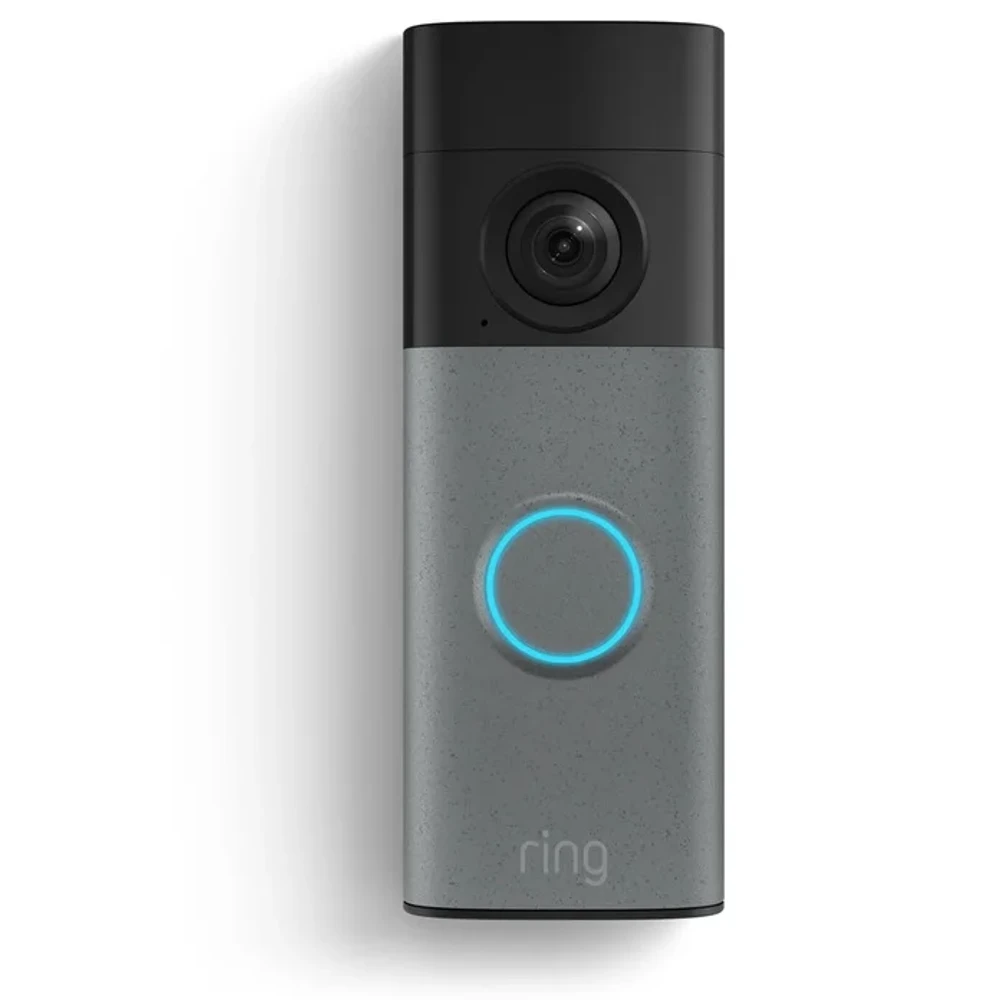
Some video doorbells can ring your existing wired chime. The answer depends on the exact doorbell and the rest of the installation. Ring's Video Doorbell Wired does not support an in-home chime, while its battery-doorbell guides describe supported chime connections. Check the model before planning to reuse the bell inside your house.
Write down two separate decisions before buying. Can the proposed setup supply the doorbell correctly? Can pressing its button make your old indoor chime sound? Have the installer confirm each answer on the quotation.
We checked Ring's English US help pages and Blink's English support documents on November 1, 2026. We have not physically tested a doorbell or chime for this guide. Our Ring Video Doorbell family listing is a starting point for the range; choose the exact model before using an installation guide.
Identify the exact doorbell model and generation
Copy the complete name from the proposed product, including any generation, resolution and Plus or Pro label. If you already own a Ring device, its model identification guide directs you to the Product Name under Device Details in Device Health. If the box uses a different name, write that down too.
Ring's name-change record explains why that can happen. Battery Doorbell Plus (2nd Gen) became Battery Doorbell 2K Plus, for example. Ring says the name change itself did not change the hardware or features. Use that record to match an older name to the device you own.
For a new purchase, ask the seller for the full model name and the current US installation page. Ask for the name even if the replacement looks like your old doorbell. Keep the doorbell name, chime model and transformer information together so support can assess the proposed combination.
Check the transformer and chime separately
The transformer supplies power. The indoor chime makes the sound. Record both before asking whether the new doorbell will work. Have the installer record the transformer label's AC or DC output, voltage, frequency and VA rating, together with the proposed doorbell's requirements. If the label cannot be read safely, leave the field blank until a qualified person identifies it.
Ring's hardwiring requirements give different specifications for different models. Its battery-doorbell group lists 8 to 24 VAC, 50/60 Hz and 5 to 40 VA; Video Doorbell Wired lists 10 to 24 VAC, 50/60 Hz and 8 to 40 VA. The installer still needs to confirm your actual transformer and chime together. These examples show why the full model name matters.
For a video doorbell and mechanical chime, record the chime's manufacturer and full model number. Ring describes a mechanical chime as using a bell and hammer, while a digital chime plays tones through a speaker. Its battery and PoE chime compatibility list separates those types and also contains incompatible-model tables. Match the list to the doorbell group named at the top of the page. Ring directs Wired Doorbell Plus and Pro owners to a separate list.
Check both the compatible and incompatible sections. If a model is absent or appears in conflicting entries, ask Ring to confirm the exact combination. Keep the confirmation with its date. Use the installation guide for that device and follow local requirements for professional work. Do not decide compatibility by trying different wire connections.
Confirm whether wiring powers the device or also rings the chime
A hardwired battery doorbell can still depend on its battery. Ring's battery-doorbell hardwiring guide says an external power connection provides a trickle charge. It describes connecting through a compatible indoor chime, connecting directly to a transformer and using a plug-in adapter as different configurations.
The same house wiring can serve different functions in these examples.
| Exact example | What the wiring or power source does | What happens to the existing chime |
|---|---|---|
| Ring Battery Doorbell in a supported chime installation | Provides a trickle charge to its battery | Can ring a compatible chime with the supported installation and settings |
| Ring Video Doorbell Wired | Supplies the device's wired power | Ring says this model does not support an in-home chime |
| Blink Video Doorbell (2nd Gen) | Batteries remain required even in a wired installation | Can ring compatible existing chime wiring; the exact electrical requirements need confirmation |
Ring's in-home chime configuration guide explicitly excludes Video Doorbell Wired. For supported models, it also distinguishes the app's Mechanical, Digital and None settings. Confirm the supported physical setup before selecting the app setting. Video Doorbell Wired remains an excluded model.
Blink's second-generation FAQ requires three specified non-rechargeable AA lithium batteries for wired and wireless installations. Its model-specific technical specifications list chime wiring at 16 to 24 VAC. The general chime-options page gives 8 to 24 VAC while including this model. Both specify 50 to 60 Hz and a 40 VA maximum. Leave the power decision unresolved and ask Blink which requirement applies to your exact model and system.
Compare the supported indoor alert options
If retaining the old chime is essential, make that a purchase condition. Ask for confirmation of the complete configuration before choosing the doorbell. If another indoor sound is acceptable, identify the accessory and setup it needs.
Ring's Chime Kit Mini guide describes an important newer-model distinction. It lists Chime Kit Mini as included with Wired Doorbell 2K Plus and the hardwired installation of Wired Doorbell 4K Pro. The kit produces its own preset sound in place of the old chime. The PoE installation of Wired Doorbell 4K Pro is treated separately. Chime Kit Mini is also incompatible with Ring's Plug-In Adapter. Put the actual power method and accessory on the quotation.
Ring also documents Ring Chime, Chime Pro and compatible Alexa Echo alerts. Blink offers its own Blink Chime, a compatible Alexa device or a Mini camera on the same Blink system. Blink says third-party wireless chimes are unsupported. Check the chosen option against the exact doorbell and include any separately sold accessory in the cost.
Use the following compact checklist with the installer. Open the one-page compatibility checklist for a printable sheet with space for the two independent decisions. Leave unknown details blank for the installer to complete.
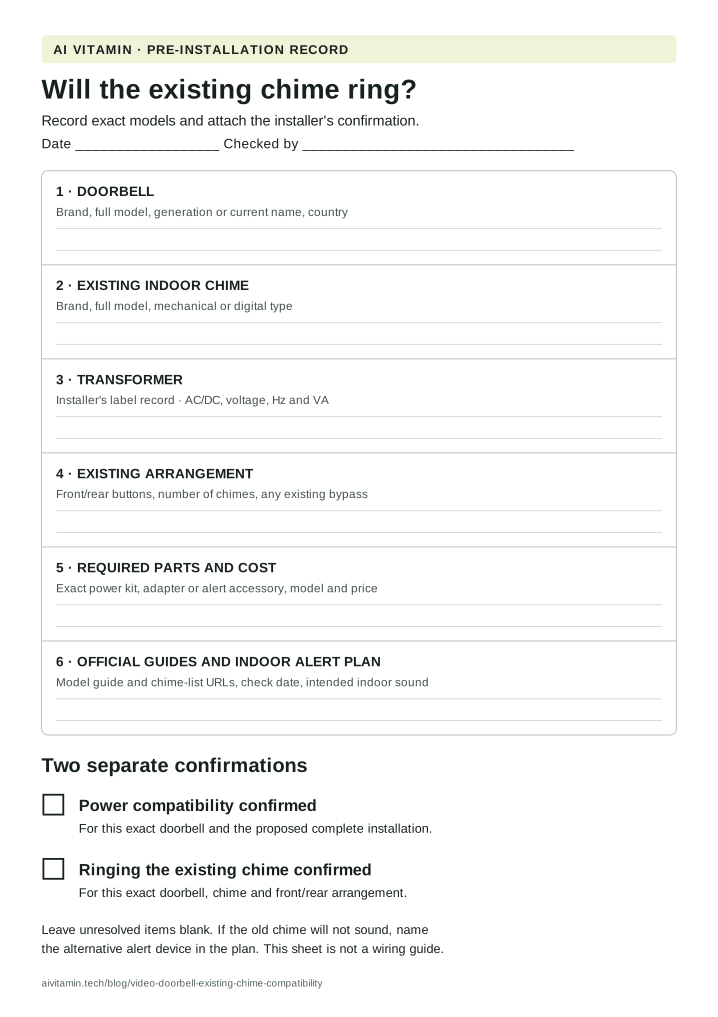
| Record before buying | Information to keep | Confirmation needed |
|---|---|---|
| Doorbell | Brand, exact model, generation or current name, purchase region | Matching official installation guide |
| Existing indoor chime | Brand, full model number, mechanical or digital type | Correct model-specific compatibility list and any clarification |
| Transformer | Label photo or installer record of AC/DC, voltage, Hz and VA | Requirements satisfied for the proposed complete system |
| Existing arrangement | Front and rear buttons, number of chimes, any existing bypass | Installer's plan for this arrangement |
| Required parts | Exact power kit, adapter or chime accessory and its price | Compatibility with the model and chosen power method |
| App and indoor alerts | Supported chime setting and intended sound location | Configuration steps from the correct model's guide |
Mark these independently after confirmation.
- Power compatibility confirmed for the exact device and proposed installation.
- Ringing the existing chime confirmed for the exact doorbell, chime and arrangement.
If the second box stays blank because the old chime will be bypassed or replaced, write the alternative alert device beside it. Our smart home directory provides broader device references. Attach the completed sheet to the quotation, including the indoor sound you have agreed to.
Official sources checked
- Find the Ring model in the app
- Ring product name changes
- Ring hardwiring requirements
- Ring battery and PoE chime list
- Hardwiring a battery-powered Ring doorbell
- Ring in-home chime settings and exceptions
- Ring Chime Kit Mini information
- Blink Video Doorbell second-generation FAQ
- Blink Video Doorbell second-generation specifications
- Blink indoor chime options