
Can a Smart Ring Battery Be Replaced? Service, Warranty, and Replacement Options
Can you replace a smart ring battery? Check RingConn Gen 2 and Oura Ring 4 service options, warranty limits and charging checks before buying another ring.
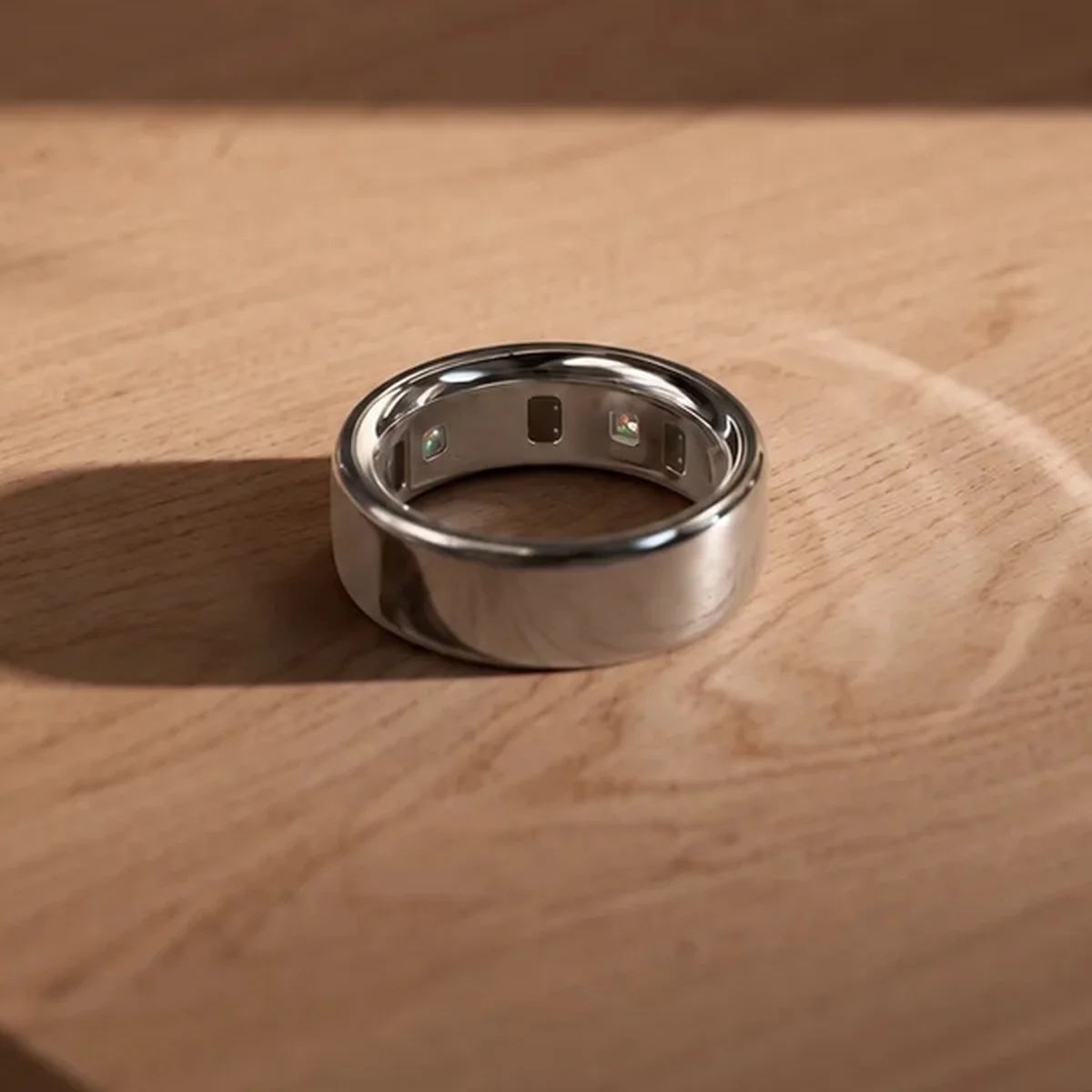
You cannot swap the battery yourself in a RingConn Gen 2 or Oura Ring 4. RingConn says its current ring batteries are sealed and are not designed for user replacement. Oura describes its ring battery as non-replaceable. If either ring stops holding a useful charge, start with the charging checks and contact the manufacturer about service.
When you ask about smart ring battery replacement, get the proposed remedy in writing. Support might assess a warranty claim, offer another ring or discuss a repair. Ask which action they mean and what you would pay.
We checked RingConn and Oura's English-language support and warranty pages on October 30, 2026. This guide uses those documents; we have not measured long-term battery wear on either model. The RingConn Gen 2 and Oura Ring 4 product pages provide the corresponding device references.
Battery Life per Charge vs Battery Lifespan
Battery life per charge describes how long the ring runs before you charge it again. Battery lifespan concerns how long the ring remains useful as its battery loses capacity. A specification expressed in days cannot tell you how many years the ring will remain useful.
Oura's Ring 4 battery-life explanation gives a useful example. Its five-to-eight-day estimate came from testing new rings in sizes 8 through 10, with blood oxygen sensing disabled and defined activity and sleep tracking conditions. Those conditions matter when comparing the estimate with your own ring. They give no service-life guarantee in years.
To judge your smart ring's battery lifespan, keep an earlier runtime record if you have one. Compare it with recent observations under similar settings. Record when a full charge ends and how much charge remains at the next check, together with any feature or firmware change. Support can then compare the observations without treating a single percentage reading as a capacity measurement.
A warranty period also describes coverage for qualifying problems. It gives you no promised battery-replacement date.
Check Charging Problems Before Assuming Failure
Check the charger before ordering another ring. RingConn's battery replacement guide recommends checking alignment, the cable, the power source and the charging accessory. Clean and fully dry the ring and charging area. If you use a charging case, check whether the case itself has power. Use accessories compatible with the exact model.
For Oura Ring 4, the charging-dock troubleshooting guide separates testing the empty dock from testing it with a ring. Oura chargers are specific to ring size and generation. An empty Ring 4 dock should illuminate white and then fade; a dock that stays dark calls for cable and power-source checks. Follow the Ring 4 instructions on that page rather than applying the Gen3 reset procedure to it.
If the ring charges normally but runs down sooner, check software and record actual runtime. Oura's battery tips recommend two charge cycles after updating firmware, charging to full and using the ring down to about 25%, with a data backup after each cycle. Note any settings you change between those cycles.
Stop routine testing if the ring becomes unusually hot, swells or changes shape. RingConn directs users with those symptoms to stop wearing and charging the device and contact support. Its guide warns that opening the sealed ring can damage the battery, electronics and water resistance. Oura's product safety guidance also identifies the battery as non-replaceable and warns against puncturing it.
Manufacturer Service and Warranty Options
Read a support reply against these four possibilities. A warranty assessment can lead to a repair or a whole-ring replacement, so ask for both the coverage decision and the proposed work.
| User battery replacement | Manufacturer repair | Whole-ring replacement | Warranty assessment |
|---|---|---|---|
| You remove the cell and fit another one yourself | The manufacturer services the existing device | You receive a different ring | Support checks the fault, purchase and applicable coverage |
| RingConn does not design its batteries for user replacement; Oura calls its battery non-replaceable | Ask whether a battery-only service exists for your model and country | Oura documents this route for eligible cases; approval still requires review | A shorter runtime alone does not prove a covered manufacturing defect |
| Do not open either ring for a home battery swap | Request the service scope, fee and return-shipping instructions | Confirm the model, condition and remaining coverage | Keep the receipt, symptoms and troubleshooting record |
RingConn's warranty policy lists one year from delivery in non-EEA countries and two years in EEA countries for original components of new products. It says RingConn will repair, replace or refund for defects in workmanship. The same policy excludes normal wear and states that battery replacement is outside its standard warranty because rechargeable cells lose capacity over time. A suspected defect needs evaluation; gradual wear does not carry an automatic free-replacement entitlement.
Oura's warranty FAQ lists manufacturing-defect coverage and excludes consumables, including batteries. It gives new products one year of coverage from purchase, subject to longer local requirements. Ask Member Care how those terms apply to your particular fault and purchase.
An approved Oura replacement retains your model and size; it may be a tested, like-new device. For a new product, replacement coverage is the longer of the remaining regional warranty and 90 days after delivery.
What to Ask Before Buying a Replacement
Give support enough information to distinguish a charging problem from a runtime problem. This record combines the information RingConn and Oura request with a simple way to document your observations. Fill it with your own measurements and leave missing information blank.
| Record | What to include | What support can check |
|---|---|---|
| Device | Brand, generation, size and serial number if requested | Exact model and accessory compatibility |
| Purchase | Order number, seller, country, purchase date and delivery date | Purchase evidence and the relevant warranty period |
| Software | App and ring firmware versions; date of a recent update | Whether the symptom began after a software change |
| Charging setup | Dock or case model, cable, power source and indicator behavior | Whether the external charging system works |
| Runtime | Charge percentage and time at the start and end of each observation | A repeatable description of shorter runtime |
| Context and checks | Enabled features, when the issue began and steps already tried | What changed and what still needs investigation |
Ask support to name the available remedy and its full cost before ordering another ring. If they propose a paid repair, ask what it includes and what coverage follows it. If they propose a replacement, confirm its condition, model and size. For an out-of-warranty device, request a current quote; the pages checked here do not provide a universal battery-only repair price.
Ask what happens to the old ring. Oura tells customers to keep a replaced original ring out of resale or gifting; it may be disabled. Follow your case instructions. If a device is eligible for resale, use our guide to deleting data before selling an AI device for the data-removal checks.