Robot Vacuum Mop Maintenance Beyond the Dock
Plan robot vacuum mop maintenance beyond the self-cleaning dock with an owner checklist, Saros 10R care examples and a model-specific consumables log.
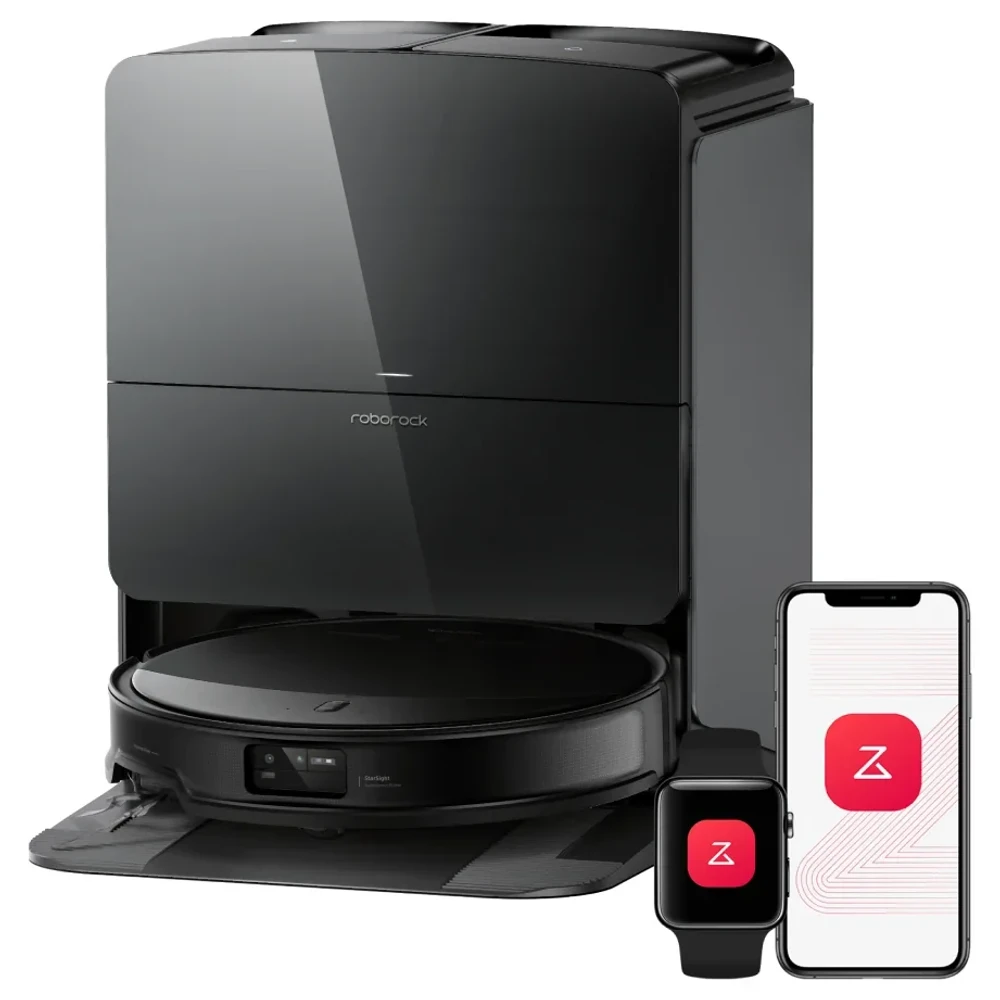
A self-cleaning dock can wash mop pads and move dust into a bag. Robot vacuum mop maintenance still leaves you with containers to empty and parts to inspect. Before buying, check whether you can reach those parts and carry the water comfortably.
We checked Roborock's Saros 10R US manual and official maintenance pages on November 21, 2026. The example uses its water-tank dock, EWFD28LRR. We have not tested the hardware. Our Roborock Saros 10R listing provides the device reference; match the manual to the labels on your own unit.
Separate Automatic Dock Jobs From Owner Maintenance
Roborock's Saros 10R dock FAQ lists automatic dustbin emptying, mop washing and drying, onboard water refilling and detergent dispensing. Those features tell you what happens during a cleaning cycle. The maintenance section tells you which parts you will eventually handle.
For each automatic function, follow the waste to its destination. Ask to see the dirty-water container being lifted out of a tank-based dock. Check how to reach the dust-bag compartment and fit a replacement. If you would need help lifting a filled container, include that help in the buying decision.
A self-cleaning robot vacuum dock maintenance sheet
Fill this table for the robot and dock you are considering. References point to the Saros 10R US FCC manual. Automatic functions refer to this configuration. Add your own dates; copy intervals from the matching instructions.
| Part | Automatic task to verify | Owner task to plan | Saros 10R manual reference | Last checked |
|---|---|---|---|---|
| Onboard bin and filter | Bin emptying | Inspect; clean filter | D5 and D6 | Fill in |
| Dock dust bag | Receives emptied dust | Replace when needed | D12 | Fill in |
| Main and side brushes | No owner-care task assumed automated | Inspect for wear | D1 and D2 | Fill in |
| Sensors and charging contacts | No cleaning assumed automated | Wipe as directed | D8 and D11 | Fill in |
| Clean-water tank and solution cartridge | Robot refilling and solution dosing | Replenish supplies | C1 and C2 | Fill in |
| Dirty-water tank | Receives used water | Empty and clean | D10 | Fill in |
| Mop cloths | Washing and drying | Inspect; replace when due | D7 | Fill in |
| Cleaning tray and tray filter | Supports dock mop washing | Remove and rinse | D13 | Fill in |
Use the sheet when measuring the dock's space. Allow room to release the tray and lift the tank with the compartment open. Check the route to a suitable sink too. A station that fits neatly under a shelf may be awkward to maintain there.
Check Brushes, Filters, Sensors, and Contacts
Open the exact manual before laying out cleaning tools. Roborock's 2022 maintenance overview identifies rollers, filters, wheels, sensors and contacts as inspection areas. Use that list to find the corresponding sections in your model's instructions. Follow those instructions for the cleaning method and schedule.
For this Saros 10R, power off and unplug before maintenance. Clear debris at brush ends and bearings. Use a soft, dry cloth on sensors and contacts. Wash its filter with clean water, without brushing its surface, then dry it thoroughly for at least 24 hours. Keep the robot and dock out of the rinse water.
Allow for drying when you schedule cleaning. Washing a filter just before the robot's next run creates a gap you need to plan around. If you want a spare, check the compatible part number before buying one.
Write the part's full name in the log. “Dustbin filter drying” tells another household member more than “filter cleaned.” Include whether the part is ready to reinstall, especially when several pieces are beside the sink.
Check reassembly against the manual before starting a normal task. If an error remains, save its wording and note which part you serviced. Give those details to support when asking what to check next.
Review Tanks, Trays, and Mop Parts by Dock Type
A tank-based dock gives you containers to carry. A refill-and-drain configuration changes the water-handling arrangement, so it needs its own installation and maintenance instructions. Identify which version a listing includes before comparing the remaining work. A plumbing connection by itself does not tell you which other parts receive automatic care.
For Saros 10R, D13 covers rinsing its removable tray and filter. C2 specifies Roborock-recommended solution in the cartridge, with no disinfectant.
Roborock's separate Q Revo cleaning-tank FAQ says users must remove and clean that detachable tank regularly. It is a useful example of owner care remaining after automatic mop washing. Use your own model's instructions to identify and release its tray.
Keep the robot vacuum mop cleaning checklist beside the supplies. Note where dirty water will be emptied and where removable parts can dry. If someone else will maintain the machine, show them the relevant manual pages and agree who will notice a full container or a missing consumable.
Our Narwal Freo Series product page provides another family of devices to investigate. Select the exact Freo model before filling its worksheet. Narwal's Freo tray support page embeds a video that we have not watched. Obtain the matching instructions before removing its parts; the Saros procedure above applies to the named Roborock configuration.
Build a Model-Specific Maintenance Calendar
Keep cleaning, inspection and replacement in separate columns. A part can be due for a look without needing replacement, and a damaged part can need attention before a scheduled reminder. Copy prescribed intervals from the matching manual, then record what you actually find.
One model-specific example is Saros 10R D6, which specifies filter cleaning every two weeks and replacement every six to twelve months. Keep that source beside the calendar entry when you copy it.
| Component | Manual interval or condition | Last inspected | Last cleaned and dry | Last replaced | Next action |
|---|---|---|---|---|---|
| Exact part name | Copy your model's instruction and section | Fill in date | Fill in date or drying status | Fill in date | Write the task and due date |
If the manual says to clean a part as required, retain that wording and schedule an inspection reminder. At the inspection, note whether action was needed. Do not turn a reminder you chose into a manufacturer-required replacement cycle.
Keep a consumables record
| Item | Compatible model and part number | Source checked | Pack quantity and price | Installation date | Replacement reason |
|---|---|---|---|---|---|
| Filter, mop, brush, bag or solution | Copy the exact identifier | Save seller or manufacturer link and date | Fill in current details | Fill in date | Scheduled change, wear, damage or other observed reason |
Leave the cost fields empty until you check current supplies for your model and region. A replacement interval alone cannot establish your annual spend. Record pack size as well as price, and distinguish items you bought from items you have used.
Before ordering, return to the Saros 10R device details or your chosen Freo model with the sheet. Ask the seller to identify any part or dock version you still cannot match to an instruction.