
How Robot Vacuum Mops Protect Carpet Without Getting It Wet
Compare robot vacuum mop carpet protection, mop lifting vs mop removal, and no-mop zones using Saros 10R instructions and attributed real-device test reports.
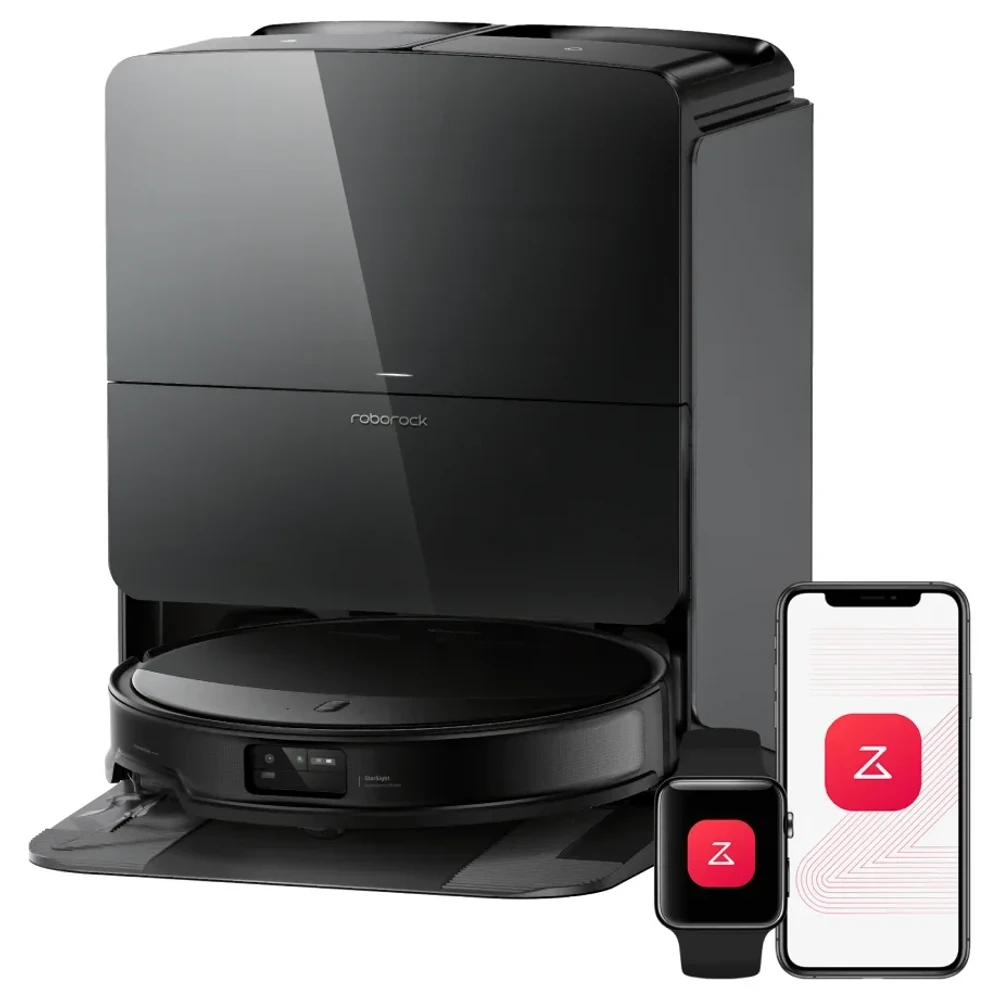
A robot vacuum mop can protect carpet by lifting its wet pads, leaving them at the dock, or keeping out of the carpeted area. Check which action it will take on your rug in the cleaning mode you have selected. Carpet detection alone does not answer that.
This guide uses the Roborock Saros 10R as a specific product example. We checked official instructions and three published hands-on test reports on October 21, 2026. The real-device observations below belong to the named reviewers. AI Vitamin has not tested a robot on carpet, and the suggested floor plan and first-run checks are editorial tools.
Carpet Detection and Mop Lifting Are Different Features
Detection tells the robot that it has reached a different surface. A carpet setting then determines what it does there. Raising the mop, crossing without cleaning, and avoiding the area lead to different routes through the same home.
Roborock's carpet-detection FAQ describes ultrasonic recognition and recommends its lift mode for short-pile carpet. That FAQ explicitly applies to the older models it names. It should not establish a universal pile-height limit or detection mechanism for every current Roborock.
For Saros 10R, start with its own instructions and the carpet settings in your installed app. Save the model, firmware version and selected cleaning mode when checking a demonstration. A screenshot of a carpet on the map establishes what the map shows; watch the robot to establish how the pads move at that edge.
Why a Lift Height Does Not Guarantee Dry Carpet
The current US Saros 10R page lists a maximum 22 mm distance from the ground when the chassis is raised, based on manufacturer testing. That condition belongs beside the number. It does not measure the gap between a damp pad and the fibers of your rug during a turn.
Published descriptions also use different numbers. Vacuum Wars' Saros 10R review describes 8 mm of pad lift. The manufacturer describes clearance from the ground with the chassis raised; the review describes pad lift. Do not subtract those figures to calculate clearance, or interpret the difference as proof of a firmware upgrade.
Check whether the cloth clears the carpet at the leading edge, through a turn and on exit. Folded corners and loose fibers belong in that check. A single lift number cannot establish those clearances.
Compare Lifting, Detaching, and No-Mop Zones
Mop lifting vs mop removal is a choice about where the wet cloth stays. With lifting, it remains under the moving robot. With removal at the dock, the robot starts that part of the job without it attached.
| Strategy | What happens to the wet pad | When to investigate it | What still needs checking |
|---|---|---|---|
| Lift the mop | Pad stays attached and rises | A flat rug that the exact model can cross with adequate clearance | Pad contact at the rug edge, turns and exit |
| Detach the mop at the dock | Pad remains at the base during the vacuuming stage | Carpeted rooms or rugs where attached wet pads are unsuitable | The removal setting, successful release of both mounts and the later mopping route |
| Avoid carpet or use a no-mop zone | The selected mode excludes an area or changes its treatment | A rug you want excluded from wet cleaning | Whether that mode permits crossing, and whether another room becomes inaccessible |
| Use a no-go zone or virtual wall | Robot is instructed to stay outside the marked area | A fringe, loose rug or area you want excluded from all robot cleaning | Correct map placement and an alternative route |
Robot vacuum no-mop zones and no-go zones can behave differently across models. Read the explanation beside the actual control in your app. Do not assume a no-mop zone permits vacuum-only entry, or that an avoid-carpet setting will still allow transit to the next room.
Saros 10R Auto Mop Removal Needs an App Setting
Roborock says Saros 10R can remove its mops before vacuum-only tasks and before vacuuming carpet first. The US product page's auto-removal note says this must be activated in the Roborock app.
Enable the relevant option while the robot is docked, then start the intended task and watch it leave. Confirm that both mop mounts remain at the station. Selecting vacuum-only in a general control interface is insufficient evidence that your dock-removal option is enabled.
RTINGS' tested Saros 10R review documents settings for detaching the mounts to vacuum carpet first, lifting them for carpet, and avoiding, crossing or ignoring carpet. Those are separate choices. Match the setting you saved to the behavior you see during the job.
What Published Tests on Real Units Actually Show
These reports provide concrete observations, with different limits. They are not a controlled comparison of identical rugs or a measurement of carpet moisture after every possible route.
| Original tester and sample conditions | Reported observation | Limit on the conclusion |
|---|---|---|
| Juli Clover at MacRumors, daily use for a little over two months in a home with hard floors and area rugs | Reported that the mops lifted enough to vacuum the rugs during mopping without wetting them | The reviewer explicitly had no carpeted rooms. Roborock supplied the review unit. This is a household observation, without a published carpet-moisture measurement |
| Derek Adams at TechRadar, targeted kitchen cleaning followed by a medium-pile rug test | Observed the robot disengage its mops at the dock before the kitchen vacuum task. The rug test used Max+ and two passes with oats, flour and biscuit crumbs | The report establishes observed detachment and a specified rug-cleaning setup. It does not report a measured wet-carpet result for that rug |
| RTINGS' Saros 10R review, household-adaptability testing | Reported that the robot tended to get stuck on rug tassels despite navigating furniture well | Successful carpet handling elsewhere in a test does not establish that a fringed rug is safe to leave unattended |
MacRumors' dry-rug observation supports checking lifting on a suitable rug. TechRadar's observed release provides a concrete behavior to watch for at the dock. The tassel result gives a reason to examine the fringe separately from the carpet surface.
Plan Routes Around Rugs and Carpeted Rooms
Draw the route from the dock to the hard floor you want mopped. If a rug fills the only doorway, avoiding that rug may also block the room beyond it. A saved cleaning schedule does not establish that the robot can reach every selected room under its current exclusions.
The example below has a hard-floor living room, a short-pile rug and a bedroom with deep-pile carpet. The green line shows a possible hard-floor path to the kitchen. The dashed blue line marks a separate vacuum-only bedroom task with mops left at the dock. The orange boundary marks a rug excluded from the wet-cleaning route.
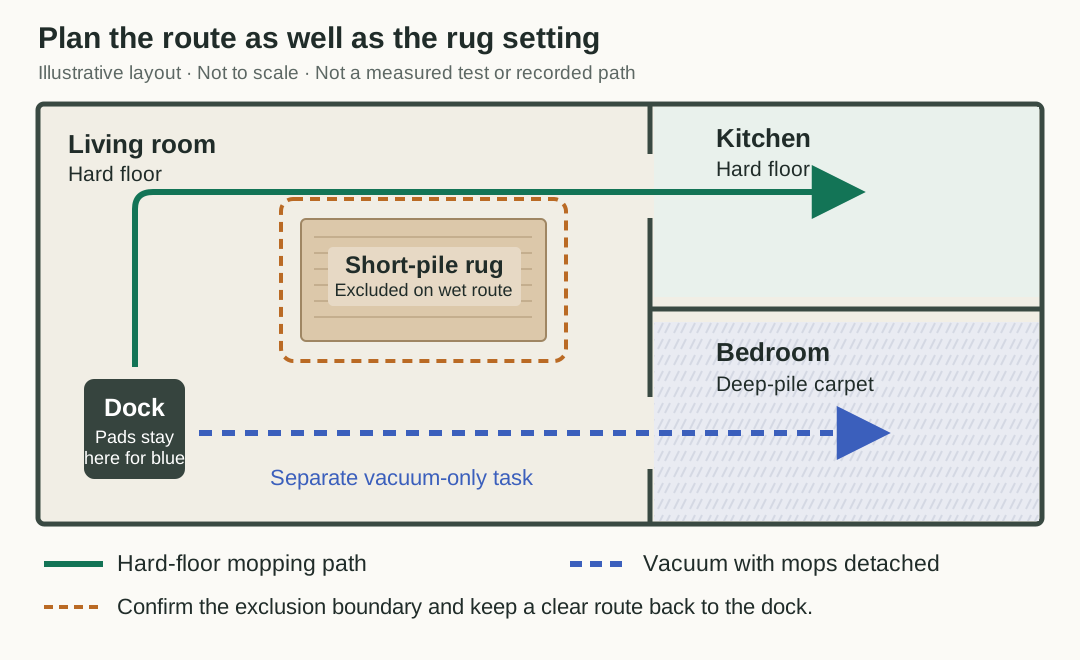
This is an example layout, not a measured home or a robot's recorded path. Zone boundaries and clearances need to match the actual rug and robot. Open the floor plan.
| Home condition | Capability or setup to check | What you cannot infer from it |
|---|---|---|
| Flat short-pile rug with a clear hard-floor path around it | Carpet treatment setting and observed pad clearance | That all short-pile rugs remain dry |
| Deep-pile carpeted bedroom | A supported vacuum-only task with wet mops removed | That leaving the cloth attached is safe because the robot can climb onto the carpet |
| Runner across the only doorway | Whether carpet avoidance blocks transit; test the actual room order | That every selected room was reached because the job says completed |
| Rug with fringe or a loose corner | Exclusion boundary, fringe position and supervised movement | That obstacle recognition will catch every strand |
Keep a clear path around an excluded rug if your room allows it. If it does not, consider separate room tasks or temporarily moving the rug, following the rug maker's care instructions. Avoid placing an exclusion boundary across the robot's only path back to the dock.
Crossing a threshold is another question. Use our robot vacuum threshold-height guide for that geometry. A robot's ability to enter a carpeted room does not establish clearance between wet cloth and carpet fibers.
Verify the First Cleaning Run
Start with a small supervised task near an ordinary, replaceable rug that is suitable for the cleaning method. Keep delicate or valuable rugs excluded until you have established the behavior you need. The procedure below is a proposed owner check, not an AI Vitamin test result.
- Record the exact model and firmware. Photograph the rug edge, note the pile and fringe, and save the selected carpet and mop-removal settings.
- Check the map against the room. Confirm the rug boundary and any exclusion zone, including the path to the next room and back to the dock.
- For a removal task, watch both mop mounts stay at the dock. For a lifting task, observe the pad clearance at entry and during a turn. Pause immediately if the cloth touches an excluded surface.
- Check the rug edge and nearby hard floor after the pass, then check the exit side. Record visible dampness or pad contact. A dry-looking surface is an observation, not a calibrated moisture reading.
- Repeat using the actual scheduled mode and room order. Watch what happens after the robot returns to the station and resumes the job, especially if it picks up the mops for a later stage.
Keep a Short Run Record
Write down the task, the settings and whether the mounts were attached at departure. Add the entry and exit locations, any contact or dampness, and whether all selected rooms were reached. Keep photos beside that record so the next check uses the same rug position.
If the rug becomes damp, stop the job and exclude it from wet cleaning. Check the selected carpet action and the actual pad position before changing water flow or running again. A lower water setting still leaves a wet cloth under the robot.
Use the Saros 10R product page to keep its official sources beside your run record, or browse home and companion robots for other listed devices. Verify each exact model's removal and carpet controls before carrying these settings across to it.
Sources and Editorial Note
Reviewed October 21, 2026. Manufacturer instructions establish advertised features and activation requirements. The MacRumors, TechRadar and RTINGS reports provide attributed observations from real review units. Vacuum Wars supplies an additional published lift-height description, whose measurement basis differs from the current manufacturer wording. We have not reproduced those tests or measured carpet moisture. The diagram, suitability table and first-run procedure are AI Vitamin's editorial work.