
Are Ray-Ban Meta Glasses Waterproof? Rain, Sweat, and Care Explained
Are Ray-Ban Meta glasses waterproof? Check Gen 2 water resistance, light rain and sweat limits, safe cleaning, and when to keep them out of the charging case.
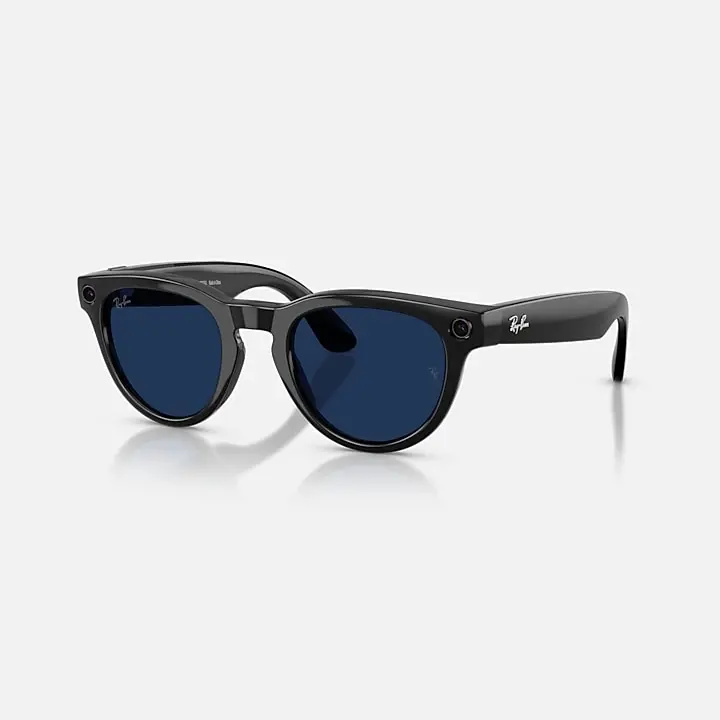
No. Ray-Ban Meta glasses are water resistant, with an IPX4 rating. Meta's water-resistance guidance describes getting caught in light rain, followed by removing the glasses as soon as possible and wiping them completely dry. Keep them out of pools and showers, and avoid prolonged exposure to water.
We checked Ray-Ban and Meta's official care pages on October 23, 2026, including the safety booklet currently linked from Ray-Ban's FAQ. This guide focuses on Ray-Ban Meta Gen 2. It is based on those documents; we have not performed a rain, sweat or immersion test.
Check the Water-Resistance Rating for Your Model
Identify your pair before using a water-resistance claim from a review or shop listing. Meta's Wayfarer Gen 2 product page explicitly labels the generation. Check your purchase record and the instructions supplied with your glasses against that model.
For the model covered here, the current Ray-Ban Meta help section gives an IPX4 rating and names light rain as its everyday example. Submersion and extended liquid exposure are excluded. The Gen 2 product record identifies the pair discussed throughout this guide.
The charging case needs separate treatment. Ray-Ban's Safety & Warranty Guide, English page 7, says the case is not water resistant and must be kept away from liquids. Putting wet glasses inside can bring moisture to the charging interface.
For background on cameras, audio and phone requirements, read Smart Glasses Explained.
Rain, Sweat, Pools, and Showers Are Different Scenarios
Before a commute, walk or workout, check the likely exposure against this table. Where the documents do not establish support for an activity, the suggested action is to avoid exposing the glasses.
| Environment | What the official guidance covers | What to do | Remaining risk or uncertainty |
|---|---|---|---|
| Light rain | Explicitly described under the IPX4 guidance | Take the glasses off as soon as possible and wipe completely dry | No promise for continuing through a long rainstorm |
| Sweat during a walk or workout | Ray-Ban identifies dried sweat as a possible charging obstruction | Clean residue and dry the glasses before docking | No quantified sweat limit or approval for every workout in the checked Ray-Ban instructions |
| Pool or swimming | Submersion is excluded | Remove and store the glasses somewhere dry before entering | The rating does not support underwater use |
| Shower or washing under a tap | Running-water cleaning is prohibited; extended water exposure is excluded | Take them off before showering; use the cloth method below | Shower use is unsupported by the checked instructions |
| Sea spray or other liquids | No use approval established by the checked light-rain guidance | Avoid exposure; ask Ray-Ban about care after contamination | A fresh-water rain example does not establish salt-water tolerance |
| Storage while damp | Glasses must be dry before entering the case | Keep them out of the case until fully dry | The case is not water resistant |
Sweat deserves attention even when the glasses look dry. The Ray-Ban FAQ says dried sweat, dirt and liquid can interfere with charging at the nose bridge. Clean the contacts even if the visible moisture has already gone. The checked instructions give no workout duration or sweat threshold to use as a guarantee.
Clean and Dry the Glasses After Exposure
Use the Ray-Ban Meta section of Meta's care and cleaning instructions. That page also contains procedures under other model headings, so check the heading before following a speaker-cleaning or lens-cleaner tip.
The specified method uses a dampened cloth and mild soap. Avoid alcohol and solvents, dirty or abrasive cloths, and running water. Gently clean the lenses, camera lens and nose-bridge charging contacts, then dry the glasses before wearing or storing them.
Before you leave
- Check the lenses for marks and damage so visibility is clear.
- Inspect the camera area and clean it gently if needed.
- Make sure the nose-bridge contacts are clean and dry before charging.
- Keep the case dry. Have a clean cloth available if rain is possible.
When you return
- Clean the lenses using the approved cloth method.
- Wipe the camera lens gently without abrasive material.
- Remove residue from the nose-bridge contacts and dry them thoroughly.
- Check the case and its charging contact area before docking. Wait until both glasses and case are fully dry.
How long should Ray-Ban Meta glasses dry before charging? The checked Ray-Ban instructions give no universal countdown. Wait until both devices are fully dry. The safety booklet also warns against cleaning while charging and exposure to heat. Avoid adding a heated drying step to the routine.
Know When to Stop Using Them
If liquid is present at the charging interface, remove the glasses from the case and clean and dry the contact area. Ray-Ban's FAQ requires both devices to be completely dry before trying again. Keep them out of the case while moisture remains.
Stop using damaged glasses. The safety booklet calls for inspection for cracks or exposed components and directs users to stop immediately and contact support if overheating causes thermal discomfort. It also warns against attempting repairs yourself. Contact support if these problems appear.
An IPX4 claim does not settle a warranty claim. Ray-Ban's warranty page describes manufacturing and material defects, exclusions and individual assessment. Check the terms for your purchase region; do not assume every liquid incident is covered or automatically excluded.
Meta's warranty-claim instructions direct Ray-Ban Meta owners to Ray-Ban, including for glasses bought through Meta Store. Have your serial number and purchase receipt ready, and describe the exposure accurately.