
Miko 3 Without Miko Max: Which Features Are Included?
Using Miko 3 without a subscription? Check included Talents, free exploration, Max-only content, trial limits and renewal settings before paying.
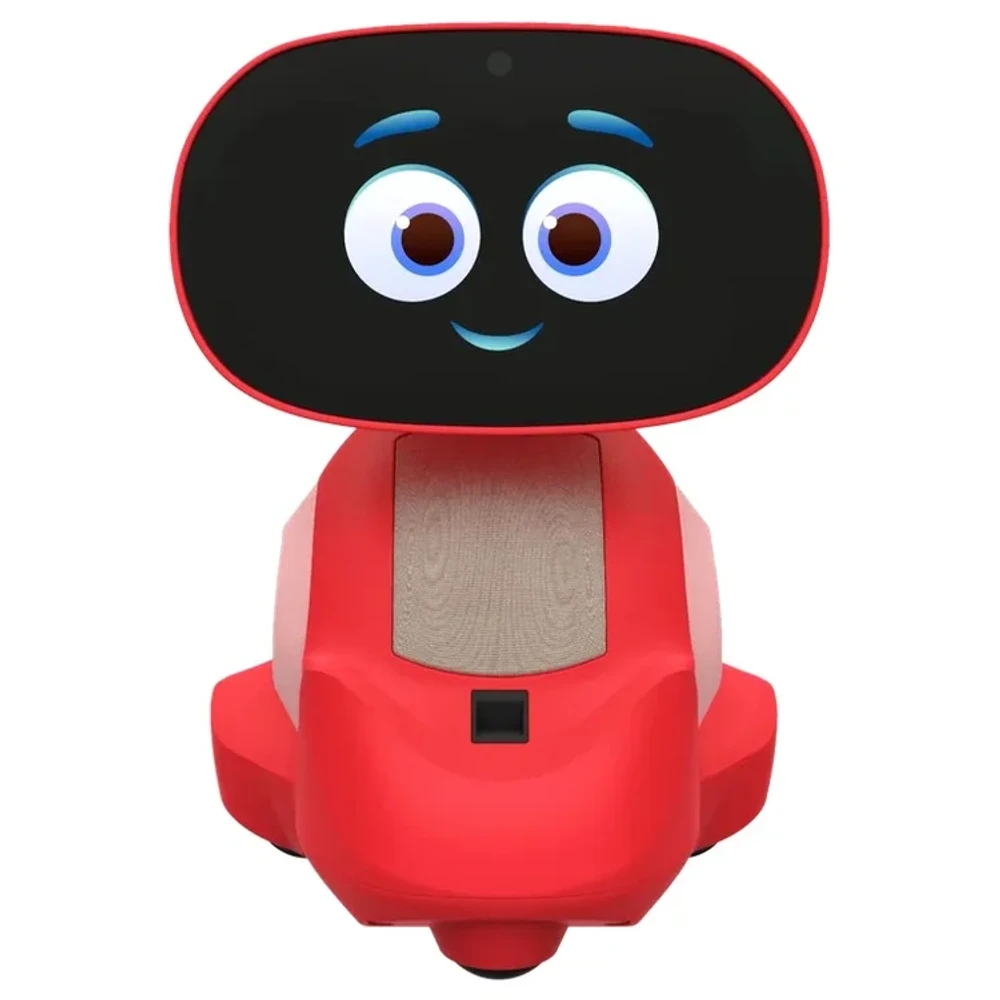
You can use Miko 3 without a subscription to Miko Max. Miko's official subscription explanation says children can use included content, ask questions and give commands without Max. The choice depends on which specific apps and stories your child wants, because some are included, some need Max, and others offer a limited free experience.
We checked Miko's official help pages and Max offer page on October 24, 2026. This guide covers Miko 3. Our Miko 3 / Miko 5 product listing provides the hardware reference, but the shared listing name does not establish Miko 5's content rights. We have not tested a family's robot or subscription account.
What Miko 3 includes without Max
The Miko 3 Talent list, updated August 5, 2026, names included activities such as Tic Tac Toe, Dance Master and Spell Master. Ting Ting Tales is another example marked as available without Max. This gives a buyer specific content to check before paying for a larger library.
Miko's general subscription help page also lists question asking and commands among the free features. Match those included features to what your child would actually open.
Access can also depend on connectivity. Miko's Talent Wi-Fi guidance says some Talents work offline, while others need internet and appear grayed out when the robot is disconnected. Check the connection as well as the subscription status when an activity is unavailable. That page does not identify every offline app, so this guide does not assign offline support to the free examples above.
Separate free access, trials, and full access
These representative examples come from the official Miko 3 Talent chart. Check the access group as well as the app name.
| Access group | Examples in the official chart | What to check before relying on it |
|---|---|---|
| Included without Max | Dance Master and Spell Master | Confirm the named activity is available on your Miko 3 |
| Requires Max | Da Vinci Kids and Vooks | Check for an active Max entitlement before promising the full experience |
| Free exploration, full access with Max | Disney Stories, Cosmic Kids and Story Maker | Treat the free portion as limited; check what opens beyond it |
The chart does not specify a universal number of free episodes, sessions or minutes for the exploration group. Opening a story during a demonstration does not establish free access to the whole collection.
A Max trial is a separate temporary entitlement. Miko's complimentary-trial help page describes a 30-day trial with a robot purchase and excludes India from that offer. Check your country and purchase terms before assuming that a particular order includes it. Record whether Max is active while you try an app. Trial access can hide the limits you will meet afterward.
Match the content to your child's interests
Make a short list of five named activities your child wants to use. Check each against the official chart, then note whether your child returns to it. The worksheet below is for your family's observations, not a completed AI Vitamin test.
| Content your child wants | Official access group | Trial involved? | Did your child use it again? | Decision before renewal |
|---|---|---|---|---|
| Choice 1 | Fill in from the current chart | Yes, no or unclear | Add your observation | Keep included access, consider Max or ask support |
| Choice 2 | Fill in from the current chart | Yes, no or unclear | Add your observation | Write your decision |
| Choice 3 | Fill in from the current chart | Yes, no or unclear | Add your observation | Write your decision |
| Choice 4 | Fill in from the current chart | Yes, no or unclear | Add your observation | Write your decision |
| Choice 5 | Fill in from the current chart | Yes, no or unclear | Add your observation | Write your decision |
The following three households are hypothetical examples of how to use that record.
A family mainly using the included games
If a child keeps choosing Tic Tac Toe and Dance Master, the documented free activities cover those choices. The family can continue evaluating the included library before adding a subscription. Keep a note of which included activities get used again.
A family choosing a particular premium collection
If the child specifically wants the full Disney Stories experience, free exploration leaves an access limit to check. The parent can use an eligible trial to see whether the child returns to that collection, then decide whether its full access justifies the plan offered to that account.
A family buying a gift to open later
The buyer should check when the included promotion starts and which parent's account will manage it. Miko's Max offer FAQ refers to delivery for promotional benefits and pairing for subscription start. Those statements do not establish one start date for every bundle. Confirm the dates on the order and account before putting the boxed robot aside for a celebration.
For other hardware choices, browse our toys and kids' devices directory. Check each device's content terms separately.
Check the account before a trial renews
Use the account that purchased or activated Max. Miko's current app-management instructions direct parents to open the Miko App, enter Parent Zone with their passcode, open Settings and select Max Subscription. That section manages the plan and billing information.
Before the trial or paid term ends, check the following details.
- Which parent email and robot are linked to the entitlement.
- Whether the purchase came from Miko's website, the app or a retailer bundle, and what the receipt includes.
- The trial start date, expiry date, next charge and billing currency shown for that account.
- Whether the plan renews automatically or is a one-time term.
- What access remains after cancellation and whether the account shows the intended renewal status.
Miko's trial-billing explanation says recurring subscriptions renew after the trial or chosen term unless canceled in time. Check the confirmation email for the actual end date and subsequent charge; set your own reminder before that date.
The cancellation instructions describe Parent Zone, Settings, Miko Max Subscription, Manage Subscription and Cancel Max. They distinguish a one-time term that expires automatically from a recurring plan. Miko says canceled subscriptions retain benefits until the expiry date. Save the cancellation confirmation and check the resulting status. If your purchase terms or app screen differ, use those details when contacting support. Ask Miko support to resolve a mismatch before the stated renewal date.