
Does Samsung Galaxy Ring Work With iPhone? Check Phone and App Requirements
Does Samsung Galaxy Ring work with iPhone? Check Android phone requirements, Galaxy Wearable, Samsung Health and Galaxy-only features before buying.
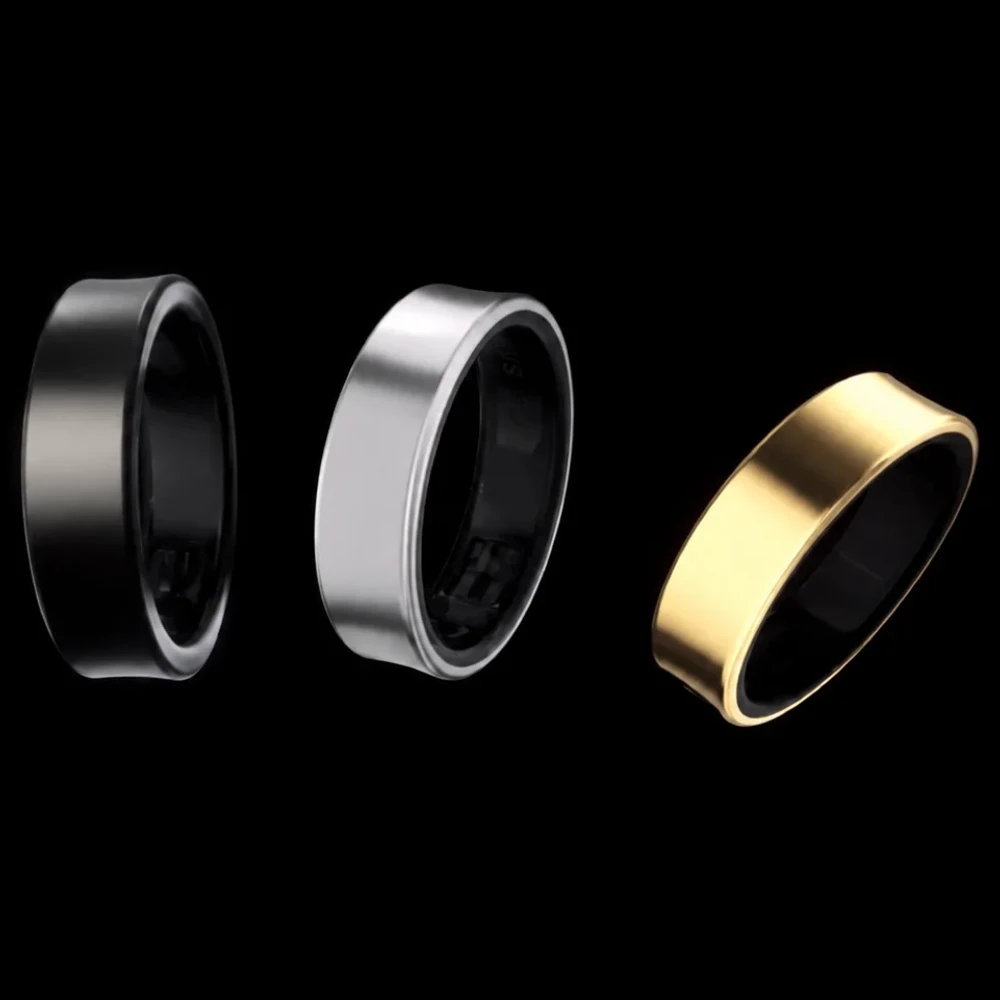
No. Samsung Galaxy Ring does not support pairing with an iPhone. Samsung's compatibility notes require a compatible Android smartphone and Galaxy Wearable, an app that does not support iOS. Installing Samsung Health on an iPhone does not provide the missing ring setup app.
We checked Samsung's US product page, regional compatibility notes and support instructions on October 22, 2026. This guide covers the device sold as Samsung Galaxy Ring. It is based on documentation, without an AI Vitamin pairing test.
Which Galaxy Ring and Which Phone?
Start with the phone you will actually keep using. An iPhone-only buyer should choose a ring with explicit iOS support. Someone who owns a Pixel, Motorola or another Android phone has a different question to answer, because Samsung documents Android pairing separately from Galaxy-only features.
Samsung's US launch specifications list Android 11 or later and at least 1.5 GB of memory. They also require Galaxy Wearable, Samsung Health version 6.27 or later, and a Samsung account. Treat these as the documented Galaxy Ring phone requirements. Check the current app listings on your exact handset before buying; an old minimum version is no promise that every later app release supports the same phones.
The Hong Kong English product page explicitly describes pairing with Android smartphones through the two apps. Its footnotes confirm that Galaxy Wearable does not support iOS. That helps establish the platform boundary, while feature availability still needs a check for the country where you will use the ring.
| Your phone | Can you install the relevant apps? | Is Galaxy Ring pairing supported? | What about specific features? |
|---|---|---|---|
| iPhone running iOS | Samsung Health has an iOS listing; Galaxy Wearable is unsupported | No supported iPhone setup | Installing Health does not enable Galaxy Ring features |
| Eligible non-Samsung Android phone | Check Galaxy Wearable and Samsung Health on that handset | Documented Android route, subject to device and region requirements | Verify each wanted feature; Galaxy-specific controls have additional requirements |
| Compatible Samsung Galaxy phone | Check both apps and sign in to a Samsung account | Supported when the listed requirements are met | Check the required One UI version, app settings and regional feature terms |
Use the exact model and software version when asking Samsung or a seller for confirmation. A statement that the ring works with Android leaves those details unanswered.
Pairing Is Different From Feature Availability
After checking pairing, look at the functions that would justify buying the ring. Two useful checks are Samsung's health insights and its phone controls.
Energy Score and Wellness Tips Need a Regional Check
The current US Galaxy Ring page requires a compatible Samsung Galaxy AI phone, Samsung Health and a Samsung account for Energy Score and Wellness Tips. A US buyer using another Android brand should confirm those features with Samsung for that exact phone.
Regional wording differs. The Hong Kong page describes Wellness Tips on Android 11 or later with Samsung Health 6.27 or later and an account, subject to service availability. Its Energy Score note requires ring data to synchronize with Samsung Health. Those statements do not establish identical availability for a US purchase. Save the applicable local feature note alongside the model number.
Double Pinch Has Its Own Software Requirement
Samsung's US gesture troubleshooting guide specifies One UI 6.1.1 or later. It also tells owners to enable the camera and alarm controls under Gestures in Galaxy Wearable. Ring gestures are disabled when a worn Galaxy Watch also has gestures enabled.
On a Galaxy phone, record the One UI version and check the switches in the ring's Gestures menu. An Android version number alone cannot establish support for these controls on a non-Samsung phone.
Check the Required Apps and Account
Galaxy Wearable handles the ring connection and device settings. Samsung Health presents health information. Samsung's US setup guide directs owners to connect the ring through Galaxy Wearable, and its Fold6 and Flip6 support instructions show the subsequent ring settings and health screens.
The Samsung Health iOS listing names supported older wearables, including Galaxy Watch3 and Galaxy Fit2. Galaxy Ring is absent from that list. The ring's own instructions require Galaxy Wearable on Android. A Health download or Samsung account login on iPhone does not complete that setup.
Check the apps on the phone before ordering. Confirm that the official versions install, that you can sign into the required account and that Samsung supports the ring on your model in your country. If you already own the ring, follow its setup instructions and the permissions shown on your phone.
Borrowing an Android phone for activation does not create a supported iPhone pairing route. If you are considering keeping a second phone, ask Samsung how you would manage ongoing synchronization and updates. Include the features you need in that conversation before paying for the arrangement.
An iPhone Buyer's Pre-Purchase Checklist
Use this checklist while the return terms and model details are still easy to find.
- Record the exact ring model and the phone's operating system. A different generation or future compatibility announcement needs its own check.
- Open the manufacturer's current local compatibility page. For Galaxy Ring, an iPhone-only setup fails the documented Android and Galaxy Wearable requirements.
- Check your must-have functions individually. Keep the local Energy Score terms and, for a Galaxy phone, its One UI version beside your notes.
- Choose a supported iOS alternative if you intend to stay with iPhone. Confirm the hardware's required iOS version as well as the app's installation requirement.
- Confirm stock, the correct sizing kit and return conditions for that exact ring. Phone compatibility does not settle fit or delivery.
One listed alternative worth checking is RingConn Gen 2. Its official specifications list iOS 17.0 or later, Android 10.0 or later, and Bluetooth 4.0 or later. The page also displayed an out-of-stock notice during our check. Confirm your selected size, finish and delivery availability; the compatibility statement does not guarantee immediate stock.
For the Samsung option, keep the Galaxy Ring product record beside this guide when reviewing the seller's claims. Our health and fitness device category includes other listed wearables. If subscription costs are your next question, the smart rings without a subscription guide covers that separate ownership decision.
Sources and Editorial Note
Reviewed October 22, 2026. The linked Samsung specifications, regional product pages, setup and gesture guides establish the stated compatibility requirements. Apple's App Store page establishes the Samsung Health iOS listing. RingConn's own product page supplies the alternative's requirements and observed stock notice. The table and checklist organize these documents for a purchase decision; we have not tested pairing or promised future iPhone support.